
Cleaner air starts with more than buying a purifier. The best results come from the right room size, smart placement, steady use, and clean filters. Shut doors and windows, keep open space around the unit, and clear dust from the intake for better airflow. These simple fixes can boost performance fast, and the tips ahead show where your setup can improve.
Match Your Air Purifier to Room Size
One of the biggest reasons an air purifier disappoints is simple: it doesn’t match your room size. If your purifier is too small, you won’t get the clean, comfortable air your space deserves. That can leave you feeling let down in the place where you should feel most at home.
Start with room volume math, but keep it easy. Measure your room’s length and width, then multiply those numbers and multiply those numbers and multiply by 0.66. That’s the smoke CADR you need. These CADR sizing basics help you choose with confidence, not guesswork.
For example, a 300 square foot room needs about 200 smoke CADR. You can also work backward by multiplying a purifier’s CADR by 1.55 to check the biggest room it can truly support. That way, your purifier fits your space and your life.
Place Your Air Purifier for Best Airflow
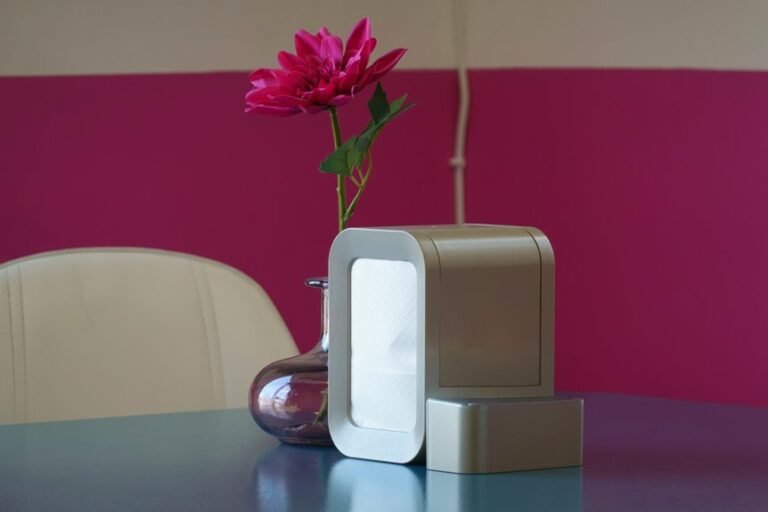
For the best results, place your air purifier where air can move around it easily, not tucked against a wall or concealed behind furniture. You’ll get stronger circulation with center placement, especially in rooms where your family gathers. Aim for solid intake clearance, with at least 15 centimeters between the unit and nearby surfaces. That open space helps your purifier pull in stale air and send cleaner air back where you live, rest, and connect.
- You create a fresher, more welcoming space for everyone.
- You help each breath feel calmer and more comforting.
- You give clean air a clear path to reach you.
- You make shared rooms feel cared for and safe.
- You support steady airflow without making your purifier work harder.
If possible, point the clean-air output toward your breathing zone for better comfort daily.
Clear Dust and Airflow Blockers Nearby
Even a strong air purifier can’t do its job well whenever dust, pet hair, or nearby clutter chokes the space around it. You help it work better whenever you keep the area around the unit clean and open. Wipe the exterior weekly with a damp microfiber cloth, and vacuum the intake and exhaust grilles each month with a brush attachment.
Next, check the floor and nearby surfaces. Dust piles, baskets, curtains, and cable clutter can slow airflow and make the purifier strain harder. Good furniture spacing matters too, because crowded corners trap particles and limit circulation.
Give the unit breathing room on every side, and move small items that collect lint or block vents. Whenever you clear these obstacles, you create a fresher, more comfortable space that feels easier for everyone in your home to share together.
Keep Doors and Windows Closed
Keep your doors and windows closed so your purifier isn’t fighting a steady stream of dirty outdoor air.
Once you seal small gaps around entry points, you block pollen, dust, and other pollutants before they spread through your room.
That simple step helps your purifier work smarter, hold clean air longer, and avoid extra strain on the filter.
Seal Air Entry Points
Because outdoor air can carry dust, pollen, smoke, and other tiny particles, sealing air entry points helps your air purifier work much more efficiently. Whenever you keep your space tight, you help clean air stay where your family gathers. Check around frames, vents, and trim, then caulk gaps and weatherproof leaks so unwanted airflow doesn’t slip inside.
That simple habit creates a room that feels calmer and more cared for.
- You protect the cozy air your group shares.
- You help your purifier focus on the room, not constant new air.
- You make every filter cycle count a little more.
- You create a steadier, more comfortable space for everyone.
- You show care for the people who call this place home.
Small seals make a real difference, and you’ll feel that comfort together every day.
Prevent Outdoor Pollutants
Sealing small gaps helps, and closing doors and windows adds the next layer of protection. When you keep them shut, you give your purifier a fair chance to work with the air already inside, not a steady stream of new contaminants. That matters most on days when outdoor air quality drops because of traffic, smoke, or heavy pollen.
You also create a more stable space your whole household can feel good in. Closed entry points reduce pollution infiltration, so fewer particles drift into the rooms where you rest, work, and gather. If fresh air feels tempting, check conditions first and wait for cleaner hours.
In the meantime, you’re not shutting the world out. You’re protecting your shared space, making it calmer, cleaner, and easier for everyone to breathe together each day.
Maintain Purifier Efficiency
Often, the easiest way to maintain purifier efficiency is to leave doors and windows closed while it runs. As soon as you do, you help your purifier clean the air you share instead of fighting constant outdoor dust, pollen, and smoke. That simple habit supports steady performance monitoring and makes your unit feel like part of your home team.
- You give your purifier a fair chance to protect your space.
- You help your filter last longer and work with less strain.
- You create a calmer room that feels safer and more welcoming.
- You make upkeep alerts easier because buildup stays more predictable.
- You support everyone nearby with cleaner air and shared comfort.
Also, check for small leaks around frames. Sealed rooms reduce extra particles, keep airflow stable, and help your purifier stay strong day after day.
How Long Should You Run It?
How long should you run your air purifier? For most homes, the best answer is all day, every day. Continuous operation keeps your shared space feeling fresher because clean air is easier to maintain than polluted air is to fix later. Should you turn it off often, dust, pollen, and odors can build back up fast.
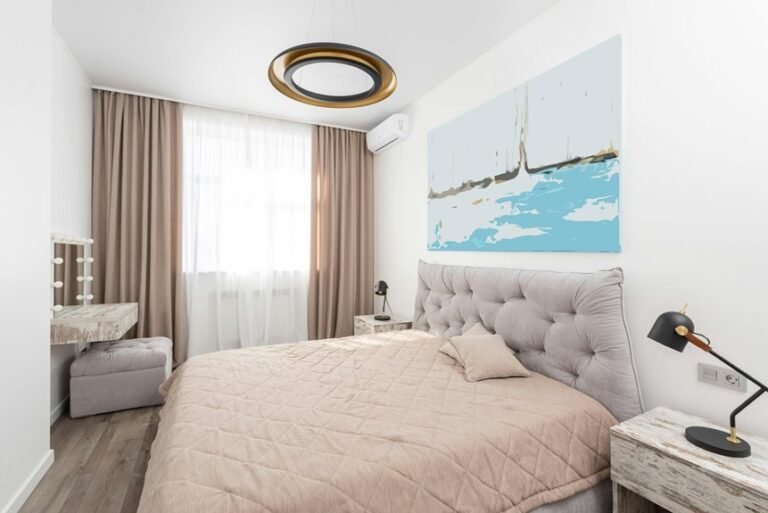
That steady use also fits naturally into your routine. Overnight use matters, especially in bedrooms, because you spend hours there breathing the same air. Should you noise bothers you, use a quiet setting instead of shutting the unit off. Even low-speed running still helps.
Should you only use it part time, aim for at least six to eight hours in the room where your group gathers most. That way, everyone feels more comfortable, together, daily.
Choose the Best Fan Speed
After deciding how long to run your purifier, you need to choose a fan speed that fits your room size and air quality needs.
You’ll usually get the best results using medium speed for steady cleaning, then switching to high when you want faster air clearing.
Provided that noise or power use worries you, you can lower the speed and still keep the air cleaner than provided that you turn the unit off.
Match Speed To Room
Because fan speed changes how much air your purifier can clean each hour, matching the setting to your room size makes a real difference. In a small bedroom, low or medium often keeps air fresh. In a larger shared room, you’ll usually need more airflow to keep up. When your purifier has CADR guidance, use it to choose a setting that fits the space instead of guessing.
- You feel more at ease if the room clears faster.
- You protect your shared space from stale, dusty air.
- You avoid underserving bigger rooms that need stronger airflow.
- You make speed cycling work with your daily routine.
- You stay aware of noise tradeoffs while choosing wisely.
That way, your purifier works with your home, not against it, and every room feels like it truly belongs to you.
Balance Noise And Power
While a high fan setting cleans the air faster, the best speed is the one you’ll actually keep running all day and night. Whenever noise bothers you, choose steady quiet operation over short bursts on turbo. That way, your space stays clean, and you feel comfortable keeping it on.
| Fan speed | Best use |
|---|---|
| Low | Sleep, reading, shared rooms |
| Medium | Daily cleaning, balanced comfort |
| High | Cooking smoke, guests, quick refresh |
Good noise management means matching sound to your routine. Run medium most of the day, then switch to high after dusting, vacuuming, or whenever outdoor air sneaks in. At night, use sleep mode or low speed so you can rest and still protect the air you share. That rhythm helps your purifier fit right into home.
Let Auto Mode Adjust Settings
Often, the easiest way to keep your air purifier working well is to let Auto Mode handle the day-to-day changes for you. With auto mode adaptation and sensor driven operation, your unit responds whenever air gets worse and eases back whenever the room feels cleaner. That means you don’t have to guess, fiddle, or worry. Instead, you stay part of a home that feels calm, cared for, and easier to breathe in.
- You feel supported whenever settings change at the right time.
- You save effort and skip constant second-guessing.
- You enjoy cleaner air without chasing every small shift.
- You get quiet moments whenever the purifier senses less need.
- You trust your space to stay comfortable for everyone.
Replace Filters on Schedule
To keep your air purifier working at its best, you need to replace filters on schedule instead of waiting until performance drops.
You should also watch the filter’s condition, because dust buildup can choke airflow and make the unit work harder.
Just as crucial, you need to use the correct filter type, so your purifier can clean the air safely and effectively.
Follow Replacement Intervals
Regularly replacing your filter on schedule is one of the simplest ways to keep your air purifier working at its best. When you stick to the maker’s guide, you protect peak airflow and support strong cleaning power.
Good replacement timing also helps you avoid surprise drops in performance and keeps your filter lifespan from stretching too far.
- You feel confident sensing your air stays fresher every day.
- You protect your space, and everyone in it, with steady care.
- You stay part of a healthy home routine that truly works.
- You avoid extra strain that can wear down your purifier.
- You save yourself stress by planning ahead, not scrambling later.
Some long-life cartridges can last 12 months or more, but your model’s schedule matters most. Follow it, and your purifier keeps showing up for you.
Watch Filter Condition
Keep an eye on your filter, because its condition tells you how well your purifier can still protect your air. Once dust packs into the media, airflow drops, and your unit can’t keep up with the space your family shares. That means less fresh air for everyone.
So, check the filter often instead of waiting for a problem. Look for gray buildup, stale smells, weaker airflow, and extra noise. Those signs usually mean the filter lifespan is running short.
Should your purifier use a collection cartridge, watch cartridge condition just as closely. A loaded cartridge makes the system work harder and clean less.
You also help performance through wiping the outside weekly and vacuuming intake grilles monthly. These small habits support steady airflow, reduce strain, and help your purifier stay a reliable part of your home.
Use Correct Filter Types
Even though your purifier looks fine from the outside, it can’t clean well if it has the wrong filter inside or an old one that’s past its best days. The right match keeps your air fresh and your unit working near peak performance.
- Choose HEPA for tiny allergens and stronger everyday protection.
- Add carbon whenever odors linger, because activated carbon benefits include trapping gases and smells.
- Check the manual before buying, so your purifier gets the exact filter it needs.
- Use a filter media comparison to feel confident, not confused, at the store.
- Replace filters on schedule, because waiting too long makes your purifier struggle and your space feel less cared for.
Whenever you keep the correct filter in place, you create a cleaner, more welcoming home everyone can breathe in together comfortably.
Clean the Pre-Filter Regularly
Because the pre-filter catches the biggest dust, hair, and lint initially, cleaning it on time helps your air purifier breathe easier and work closer to its best. As you stay consistent, you support better airflow and help the main filter handle finer particles without extra strain.
Think of pre filter upkeep as a simple habit that keeps your space feeling fresh and cared for. You don’t need much effort. Check the filter often, then remove built-up debris before it forms a heavy layer.
Gentle intake mesh cleaning also matters, since dust around the vents can slow air movement. Wipe the exterior weekly, and clean the intake area monthly so air moves freely. As giving this small task a place in your routine, you help your purifier support the healthy, welcoming home everyone wants together daily.
Avoid Mistakes That Reduce Efficiency
Cleaning the pre-filter helps, but a few common mistakes can still quietly cut your purifier’s performance.
If you want your space to feel fresh for everyone, watch out for placement mistakes and airflow obstruction.
A unit shoved against a wall, curtain, or sofa can’t pull in air well. That means more dust stays with your group.
- You lose clean-air power whenever vents sit too close to walls.
- You strain the motor as intake grilles fill with dust.
- You waste energy whenever the purifier is undersized for the room.
- You miss steady results whenever you switch it off too often.
- You spread stale air whenever clean airflow doesn’t reach your breathing zone.
Frequently Asked Questions
Do Air Purifiers Remove Odors and Gases Effectively?
Activated carbon filters are the key to reducing odors and VOCs, since HEPA filters only capture particles. For shared spaces that need cleaner air and less noticeable smells, pick a purifier with both carbon and particle filtration, and run it regularly for the strongest results.
How Many Air Purifiers Do I Need for Multiple Rooms?
Plan on one air purifier for each room you use often, sized to fit that room’s square footage and the unit’s coverage rating. Air stays cleaner when you place the right purifier in the rooms where people spend the most time, instead of depending on a single large unit to handle the whole home.
Are Air Purifiers Expensive to Run All Day?
Running an air purifier all day usually adds only a small amount to your electricity bill. Most models use about as much power as a desktop computer, so the daily cost stays fairly low. In many homes, you can leave it on continuously without a noticeable impact on your budget.
What Does the AHAM Seal Mean When Buying?
99.97% allergen removal offers a clear benefit for cleaner indoor air. AHAM certification shows the purifier has been tested against recognized industry standards, and a clear understanding of the CADR rating helps you pick a model that matches your room size.
Can Air Purifiers Help With Pet Allergies and Pollen?
Yes, an air purifier can lower pet dander and pollen levels indoors. A HEPA model traps these particles efficiently, helping improve air quality and reduce common allergy triggers in your home.