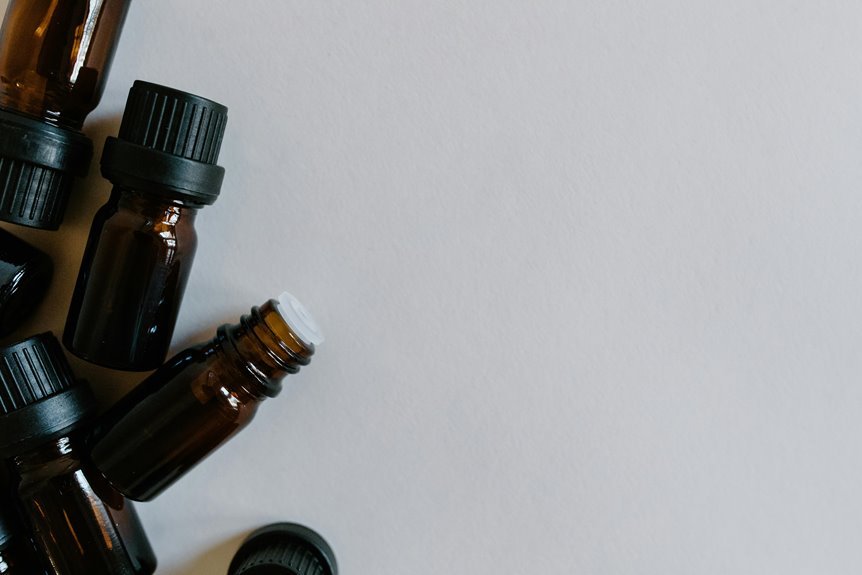

Yes, you can add essential oils to a Levoit air purifier, but only on models with a built-in aroma pad or aroma box. Add a few drops to the pad, then place it back in its slot. Never put oil on the filter, fan, or inside the main unit. A quick model check and the right steps keep the scent pleasant and the purifier working as it should.
Can Levoit Air Purifiers Use Oils?
Yes—but only Levoit models that include a dedicated aroma box or aroma chamber are designed to use essential oils. Should your unit lack that feature, you shouldn’t apply oils to filters, water tanks, vents, or internal components, because concentrated compounds can degrade materials, impair airflow, and void warranty coverage.
To stay aligned with oil safety basics, you should turn the device off, unplug it, review the manual, and handle the aroma box gently. Apply five to seven drops directly to the aroma pad, use one oil at a time, and reassemble before powering on. That method supports controlled dispersion and reduces oversaturation risk.
Should your purifier not be oil-compatible, choose fragrance alternatives such as standalone diffusers or non-contact room scenting methods. That keeps your shared air-care routine safe, consistent, and manufacturer-compliant.
Which Levoit Models Support Essential Oils?
Which Levoit models actually support essential oils? You should confirm model specific oil support before adding any fragrance. Based on manufacturer features, only units with an aroma box or chamber are designed for this use, so you stay within the compatible Levoit series and protect performance.
| Model | Oil support status |
|---|---|
| Core Mini-P | Yes, aroma system included |
| LV600S | Yes, built-in aroma box |
| LUHO451SWEU | Yes, aroma chamber included |
| Classic 300S | Pad replacement compatibility indicated |
| LV600HH | Pad replacement compatibility indicated |
You’ll notice a clear pattern: documented aroma hardware or pad compatibility indicates support. That evidence-based check keeps your purifier safe and your Levoit setup aligned with community best practice.
Where Is the Oil Pad or Sponge?
Where do you find the oil pad or sponge on a Levoit unit that supports fragrance? You’ll find it inside the removable aroma box, not in the main filter compartment. On supported models, the oil pad location sits within a small chamber built into the purifier or humidifier body. Review your manual first, then turn the unit off, unplug it, and handle it gently.
For reliable aroma box access, lift and turn the device as the manufacturer directs, because placement varies slightly by model. The box typically slides out from an easily removable chamber and should rest on a flat surface during inspection.
Inside that box, you’ll see the sponge-like pad designed for fragrance use. If the pad looks worn, replacement pads are available for many Levoit fragrance-compatible models.
How to Add Essential Oils to Levoit
Once you’ve located the aroma pad, adding oil is straightforward: turn the Levoit unit off, unplug it, review the user manual, and remove the aroma box carefully. Follow safety precautions, wear protective gear, and handle the chamber gently to avoid spills or damage.
| Step | What you do | Why it matters |
|---|---|---|
| 1 | Set box on flat surface | Improves control |
| 2 | Expose aroma pad | Enables direct application |
| 3 | Keep one oil type only | Prevents residue issues |
Apply essential oil directly onto the pad surface, not the plastic housing. Keep the device unplugged throughout the process, then complete the reassembly steps by sliding the aroma box back into place securely. Once reassembled, you’re aligned with manufacturer guidance and ready to restore normal operation safely.
How Many Oil Drops Should You Use?
How many drops do you actually need? For most Levoit aroma pads, you should use five to seven drops per application. That range reflects the proper drop count identified for effective scent diffusion without saturating the pad. Whenever you’re new to the community of Levoit users, start with five drops and assess the result after the purifier runs.
Your ideal number depends on room size, oil potency, and your preferred fragrance strength balance. Use five drops for smaller rooms or stronger oils, and move toward seven for larger spaces or lighter scents.
Apply the oil directly to the aroma pad, not elsewhere, and use only one oil type at a time. Staying within this measured range helps you achieve consistent, predictable fragrance performance while keeping your setup aligned with manufacturer guidance and best practice.
How to Avoid Damaging Your Levoit
Before you add any oil, confirm that your Levoit model supports an aroma box, since only compatible units are designed for direct fragrance use.
You should apply oil only to the aroma pad, not to filters, vents, or internal plastic surfaces, because residue can impair airflow and damage components.
Whenever you keep the pad clean and replace it as needed, you’ll reduce buildup and protect long-term performance.
Check Model Compatibility
Because Levoit doesn’t equip every purifier with an aroma feature, you should confirm that your specific model includes an aroma box or aroma chamber in the user manual before adding any essential oil. This step establishes model specific compatibility and protects internal components from unsupported use.
You’ll find that the Core Mini-P supports aromatherapy, while the LV600S Smart Hybrid Ultrasonic Humidifier includes a built-in aroma box. The LUHO451SWEU places its aroma chamber on the left side.
In contrast, many Levoit purifiers lack any oil-ready compartment, so direct oil use could damage plastics, filters, or airflow pathways. Review manufacturer documentation carefully, and check replacement pad listings for Classic 300S, OasisMist, LV600S, and LV600HH units. These details also matter for warranty considerations, helping you stay aligned with approved operation and long-term device care.
Prevent Oil Residue
To prevent oil residue from damaging your Levoit, apply essential oil only to the designated aroma pad and never to the filter, housing, air outlet, or internal components. Oils on nonporous surfaces can attract dust, degrade plastics, and impair airflow over time. You protect performance whenever you keep application controlled and precise.
Before handling the aroma box, turn the unit off, unplug it, and review your manual. Add only five to seven drops to the pad, using one oil at a time to support residue free application. Avoid oversaturating, because excess oil can migrate beyond the pad during operation. Support long-term reliability with regular pad cleaning and timely replacement. Following manufacturer guidance carefully, you help your Levoit work efficiently and keep your shared air-care routine safe, clean, and dependable.
How to Clean the Oil Tray and Pads
For consistent fragrance output and proper device performance, clean the oil tray and aroma pad whenever residue builds up or the scent becomes dull. First, turn the unit off, unplug it, and wear appropriate safety gear. Then gently remove the aroma box and take out the pad.
Wipe the oil tray with a soft cloth lightly dampened with mild soap and water, then dry it fully.
For residue free cleaning, avoid harsh solvents, excess moisture, or abrasive tools, which can degrade components. Practice gentle pad maintenance by blotting the aroma pad with a clean, dry cloth. If the pad remains saturated, discolored, or weak in scent release, replace it. Reassemble only after every part is completely dry.
This routine helps your Levoit community keep fragrance delivery stable and device materials protected over time.
What If Your Levoit Doesn’t Support Oils?
As your Levoit model doesn’t include an aroma box or aroma pad, you shouldn’t add essential oils to the unit. Aerosolized oil can coat filters, reduce airflow, and degrade plastics or adhesives over time. It can also void your warranty because it falls outside manufacturer guidelines. Check your user manual initially, and follow approved use only.
You still have safe ways to personalize your space without compromising purifier performance. Choose non oil alternatives such as activated-carbon odor control, unscented air quality improvements, or routine filter replacement.
As your desire scent, place separate fragrance diffuser options away from the purifier’s intake and exhaust. That setup protects filtration efficiency while helping your room feel welcoming and consistent. You’ll keep your Levoit operating as designed and stay aligned with your community’s best practices.
Frequently Asked Questions
Can Essential Oils Affect HEPA Filter Lifespan in Levoit Purifiers?
Yes, essential oils can reduce the lifespan of your Levoit purifier’s HEPA filter because they may cause material breakdown and oily residue buildup. To preserve airflow and filtration quality, use oils only with the designated aroma pad and follow Levoit’s care instructions closely.
Are Scented Pads Safe for Homes With Pets or Babies?
Do not assume scented pads are safe around pets or babies. Safety depends on the ingredients, how strong the scent is, how much is used, how well the space is ventilated, and how sensitive the child or animal may be. Check the label carefully and ask your pediatrician or veterinarian before using them at home.
How Long Does the Fragrance Typically Last After Application?
Fragrance is usually noticeable for 4 to 8 hours after application. The exact duration depends on the oil’s volatility, the size of the room, and the amount of airflow. For a more pronounced scent, use 5 to 7 drops and change aroma pads once they begin to lose effectiveness.
Can I Use Fragrance Oils Instead of Essential Oils?
Generally, no. Use fragrance oils only if your diffuser manual specifically says they are safe. Before adding any fragrance oil, review the safety guidance and confirm it is compatible with your model, since synthetic ingredients may damage the aroma pad, affect performance, or void the warranty.
Where Can I Buy Replacement Aroma Pads for Levoit Models?
Replacement aroma pads are available from Levoit’s official store, Amazon, and appliance retailers that stock humidifier accessories. Before ordering, verify which pad size fits your specific model, such as the Classic 300S, OasisMist, LV600S, or LV600HH.