
Assembling an air purifier is simple with a few basic steps. Gather the manual, filters, gloves, and eye protection before opening the box. Check all parts, remove the plastic from the filters, and place each one in the right order. Close the housing, plug it into a grounded 120V outlet, and your purifier is ready to start cleaning the air.
Gather What You Need First
Before you start assembly, unpack the air purifier and confirm that every included part is present and undamaged. Review the instruction manual, identify your model, and match components to the parts list so you know your setup is complete and ready.
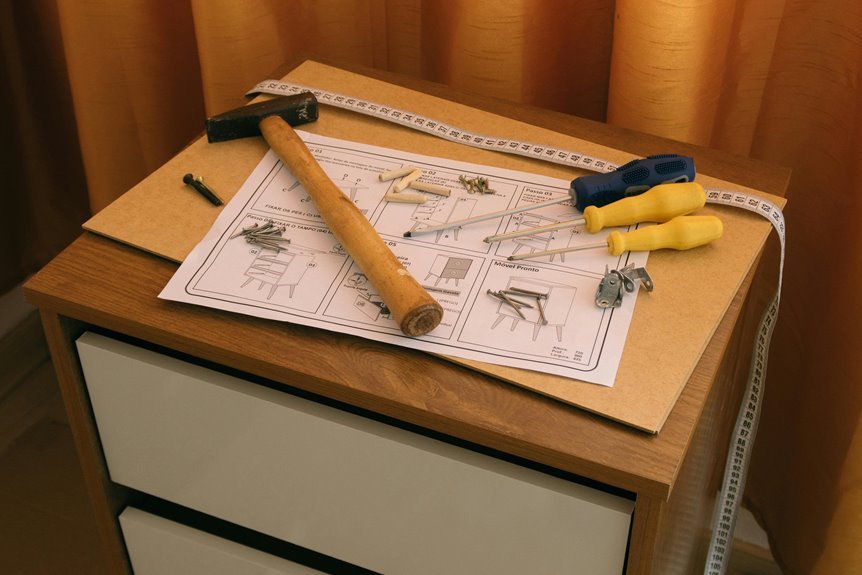
Next, gather the required tools before positioning anything: measuring tape, drill, hole saw, metal shears, screwdriver, alcohol wipes, and protective gloves.
Follow safety precautions by disconnecting nearby power sources, wearing eye protection, and choosing a stable work surface. Measure your intended duct or room location and verify clearance requirements, including 24 inches from flex duct where applicable.
Remove protective plastic from any filters before operation, and wipe the ultraviolet bulb with alcohol to prevent residue damage. You’re preparing correctly, and that keeps your installation team-ready, efficient, and safe.
Unbox the Air Purifier
Once you’ve cleared a stable work area, unbox the air purifier carefully and remove each component one at a time to prevent drops, scratches, or bulb damage. Keep the carton upright, support the base, and lift parts with two hands. Set each item on a clean, dry, nonconductive surface away from edges.
Next, remove packing inserts, tape, and cushioning materials without using excessive force. Don’t tug on wiring, housings, or the ultraviolet bulb socket.
As you unbox carefully, inspect damage on exterior panels, connectors, and the bulb envelope. Look for dents, cracks, loose fasteners, bent pins, or torn insulation. Whenever you see impact signs or broken glass, stop assembly and document the condition before proceeding. Taking this methodical approach helps you work safely and feel confident with your system today.
Check That All Parts Are Included
Next, verify the package contents against the instruction manual so you can confirm every required component is present before assembly. Check for the correct parts based on your model, including the power unit, mounting base or duct hardware, ultraviolet bulb, screws, template, and any preinstalled or packaged filters. Inspect each item for cracks, dents, or other shipping damage, and don’t proceed until you’ve replaced any compromised component.
Verify Package Contents
After unpacking the air purifier, verify that every listed component is present and undamaged so you don’t begin assembly with missing or compromised parts. Place all items on a clean, stable surface and compare them against the package checklist and contents inventory in the manual.
Should you have the Haven model, confirm the power unit, mounting base, ultraviolet bulb, four sheet metal mounting screws, installation template, and instruction manual are included.
Should you have the Haven Plus model, confirm the power unit, preinstalled flex filters, ultraviolet bulb, duct mounting hardware, and instruction manual are present.
Keep small hardware grouped to prevent loss. Match quantities exactly, and separate model-specific parts from packing materials. Should anything’s absent, stop assembly and contact the supplier before proceeding safely.
Inspect Included Components
Before you assemble the air purifier, inspect each included component against the contents list and check for cracks, dents, bent hardware, or other shipping damage. Confirm the power unit, mounting base or duct hardware, ultraviolet bulb, screws, template, manual, and any preinstalled filters are present. Perform a systematic component inspection on a clean, stable surface.
Next, complete a damage assessment. Inspect bulb glass for chips, verify threads and connectors aren’t deformed, and make certain screws are straight and corrosion-free. Check housings for warped panels, loose fasteners, or compromised seals.
In case your unit includes bagged filters, keep them sealed until installation, but verify packaging integrity. Don’t energize or mount any damaged part. Set questionable items aside, document defects, and contact the supplier before proceeding so your installation stays safe, accurate, and professional.
Remove Packaging From the Filters
Once you’ve opened the purifier or accessed the filter compartment, remove each filter from its protective plastic bag completely before installation. Perform this filter unwrapping carefully so you don’t tear media, bend frames, or contaminate surfaces with dust or oils from your hands.
Set the filters on a clean, dry surface and complete packaging removal for every layer, including shrink wrap, sleeves, and corner guards. Inspect edges, gaskets, and pleats for concealed film or adhesive strips that could obstruct airflow.
If your unit includes a HEPA filter, confirm no plastic remains anywhere on the cartridge. Don’t power the purifier with wrapped filters, because sealed media can cause noise, restricted circulation, overheating, and reduced purification efficiency.
Through handling this step methodically, you’re assembling your system like the careful, capable owner you are.
Install the Filters the Right Way
With the packaging removed, open the back panel or filter compartment and install the filters in the specified sequence, with the white filter initially and the black filter second. Confirm bag removal is complete before insertion, because sealed media restricts airflow, creates flapping noise, and reduces purification efficiency. Align each filter with the guide rails or seating edges, then slide it in evenly without bending the frame.
Next, verify the filter order against the unit markings or manual. The white stage should face the incoming airflow position, followed by the black stage. Press each filter gently until it seats flush and stable. Don’t force misaligned components, since warped media can compromise sealing and performance.
Following the correct sequence, you’re assembling your purifier like a capable member of the clean-air community.
Attach the Pre-Filter and Cover
After the main filters are seated correctly, position the pre-filter over the intake side according to the unit’s guide tabs or frame markings, then secure it so it lies flat without gaps or curling edges. Confirm filter orientation before fastening any clips, tabs, or hook-and-loop points, because reversed placement can restrict airflow and reduce capture efficiency during operation.
Next, inspect the perimeter seal and verify the pre-filter doesn’t interfere with the fan inlet or internal frame. Reinstall the access cover using even pressure on all sides, checking cover alignment with the housing slots or hinge points. Tighten latches or screws only until snug to avoid cracking plastic or stripping threads. Give the panel a final stability check. You’re building it right, and that careful fit helps your purifier perform safely and consistently.
Place the Purifier in a Safe Spot
For safe operation, place the air purifier in the identified room or duct location where it meets the manufacturer’s clearance requirements and won’t obstruct airflow, service access, or nearby equipment. Confirm the surface or duct section is level, rigid, and dry to maintain placement stability during operation and maintenance.
Next, verify surrounding dimensions against the manual, including filter access and bulb service zones. Should you’re mounting on ductwork, keep the unit away from flex duct sections and use a formed saddle on uneven surfaces. In rooms, position the purifier where intake and discharge paths stay unobstructed by furniture, curtains, or storage.
Maintain clearance safety by keeping the cabinet away from heat sources, moisture, and high-traffic impact areas. This careful placement helps your setup feel professional, secure, and ready for the next assembly step.
Plug In and Power On the Unit
Once the purifier is fully assembled and secured, plug the power cord into a standard 120V outlet and keep the cord routed away from sharp edges, heat, and moving equipment. Confirm the selected power source matches the unit’s electrical rating, then seat the plug fully in the electrical outlet to prevent arcing or intermittent contact.
- The cord lies flat, untwisted, and clear of foot traffic.
- The plug fits firmly with no looseness or exposed prongs.
- The housing stays stable, aligned, and free from vibration.
Next, switch the unit to the power position using dry hands.
Should your model uses a mounted duct base, verify the base remains locked before energizing.
You’re following the same careful process trusted by other owners, and that consistency helps protect components, maintain safe operation, and support reliable startup.
Test the Air Purifier After Setup
Start with an initial power-on check: verify the unit energizes correctly, confirm indicator lights or UV operation, and shut it off immediately whenever you detect arcing, odor, or vibration.
Next, test airflow at the discharge or room outlet to verify unobstructed circulation and proper filter installation.
Finally, listen for abnormal noise such as rattling, flapping, or grinding, because these signs mean you should recheck panel fitment, sealed packaging removal, and mounting security.
Initial Power-On Check
After assembly is complete, plug the air purifier into a standard 120V outlet and power it on only after you’ve confirmed the filters are unwrapped, the back panel or duct mount is secured, and all connections are airtight.
Begin your initial power verification by pressing the power switch once and observing the startup indicator lights immediately. Confirm the unit energizes without delay, smell of overheating, or visible arcing. Should your model use a UV bulb, verify illumination through the designated viewing point only; don’t open the housing while energized.
- Your outlet holds the plug firmly, with no wobble or exposed prongs.
- The cabinet sits stable, square, and fully seated against its mount.
- Indicator lights glow steadily, signaling normal electrical activation.
Should anything appear abnormal, disconnect power and recheck installation before proceeding further.
Airflow And Noise Test
With power confirmed, test airflow and operating noise before placing the air purifier into regular service. Stand beside the unit, then place your hand near the outlet path to verify steady discharge. You should feel consistent movement without pulsing, backdraft, or weak spots. Should it’s duct-mounted, inspect seams and bracket contact points for vibration.
Next, perform a duct resonance check while the purifier runs at normal operating speed. Listen for rattling, panel buzz, or low-frequency hum that suggests loose hardware or poor saddle support. Then complete an airflow whistling audit around filter doors, duct openings, and seals. Whistling usually indicates leakage, misaligned filters, or unremoved packaging. Power down before corrections. Once airflow is stable and noise stays controlled, you’ve confirmed a safe, team-ready installation for dependable operation.
Reset the Filter Light if Needed
Once the filter indicator remains on once you’ve installed the filters correctly and secured the panel, reset it according to your unit’s control interface before regular operation. Initially, keep the purifier plugged in and switched on, then locate the reset button or touch-control icon. Press and hold it for the interval specified in your manual to initiate the filter reset sequence.
Confirm that the display clears or stops flashing before use. When your model uses app controls, follow the same prompt path for indicator light calibration. Don’t open the housing or remove filters during reset.
- Steady your hand on the top panel as the icon blinks and clears.
- Watch for a solid, normal-status light after the command registers.
- Recheck panel latching so everyone in your home can operate it safely.
Choose the Right Fan Setting
Select a fan speed that matches your room volume so the unit maintains proper air exchange without overloading airflow pathways. Start on low, verify stable operation and acceptable sound levels, then increase speed incrementally until you balance noise output and filtration performance.
Should vibration, excess noise, or unstable airflow occurs, reduce the setting and confirm the purifier is fully assembled, unobstructed, and securely installed.
Match Speed To Room
Once assembly is complete, match the fan speed to the room size and airflow demand before you power the unit on. Start by confirming the purifier’s rated coverage in the manual. Then compare that rating to your measured space, including ceiling height if airflow volume increases. Select a lower setting for compact rooms and a higher setting for larger, occupied, or dust-prone areas. Keep fingers clear of the intake and discharge grilles while adjusting controls.
- In a small bedroom, you’ll use a lower setting to maintain steady circulation.
- In an open living area, you’ll increase output to support full-room air exchange.
- In a workshop or pet zone, you’ll choose stronger airflow for heavier particulate loads.
You’re setting the unit up like a pro, and your space benefits from safer, more effective purification immediately.
Balance Noise And Airflow
For the best balance of sound level and cleaning performance, start with the fan on low or medium and listen for stable operation after assembly. Confirm the back panel, duct bracket, and filters are fully seated, since loose parts create vibration and false noise readings. Provided that you hear flapping, shut the unit off and verify all protective plastic was removed from the filters.
Next, increase speed one setting at a time and monitor sound, discharge strength, and cabinet stability. Use the lowest setting that maintains effective circulation in your room or duct run. This approach supports airflow optimization without overdriving the motor. Provided that sound rises sharply, check mounting screws, panel alignment, and clearance around the unit for better noise dampening.
You’ll get cleaner air and quieter performance while keeping your setup safe, efficient, and dependable.
Avoid Common Assembly Mistakes
Often, assembly problems come from skipping basic prep or installing parts in the wrong condition. To avoid common assembly pitfalls, inspect every component before installation, confirm clearance, and remove all protective plastic from filters. Wipe the ultraviolet bulb with alcohol so skin oils don’t shorten lamp performance. Follow the sequence exactly, because reversing filter order or mounting before cutting proper openings risks avoiding damage becoming impossible for your team.
- You verify the white filter goes in initial, then the black filter, and secure the panel fully.
- You drill and cut using the template, keep 24-inch clearance from flex duct, and fasten hardware evenly.
- You lock the base and bulb correctly, rotate for downflow as required, then power on only after sealing connections.
This keeps your setup safe, efficient, and installation-ready.
Troubleshoot Setup Problems Fast
If the air purifier doesn’t fit, seal, or start correctly, stop and isolate the issue before powering the unit. First, confirm each component matches your model and mounting location. Check that protective plastic is removed from filters, the UV bulb is seated, and the base is twisted fully into the bracket. Inspect screw alignment, duct cutout dimensions, and required clearances.
Next, perform leak detection around duct joints and the mounting base. Re-seat gaskets, tighten fasteners evenly, and verify an airtight seal.
If the unit won’t start, test the 120V outlet, confirm panel closure, and review any error codes in the manual.
For airflow or noise problems, verify filter order, remove sealed bags, and check down-flow orientation. You’re building it right by troubleshooting methodically and safely, together as responsible owners.
Frequently Asked Questions
Can I Install the Purifier on a Curved or Non-Flat Duct?
Yes, the purifier can be installed on a curved or uneven duct. First, confirm the duct material and shape will support the unit. Then build a saddle so the purifier sits flush and stable. Fasten the bracket securely, leave the required clearance around the unit, and seal every connection tightly before turning the system on.
How Much Clearance Is Needed From Flex Duct for UV Units?
Allow 24 inches of space between the UV unit and any flex duct. Confirm the distance before mounting and keep the lamp path clear to support performance, safety, and installation quality.
Should the Ultraviolet Bulb Be Cleaned Before Installation?
Yes, clean the ultraviolet bulb before installation. Follow proper UV bulb handling by wiping it with alcohol to remove fingerprints. This step removes residue, promotes safe operation, and helps the system perform reliably.
When Do I Rotate the Metal Portion for Downflow Systems?
For downflow systems, rotate the metal portion 180 degrees during final activation after the base and bulb are inserted and locked. This step sets the correct downflow orientation. Then verify the seals and power on safely.
How Do Room Unit Filters Differ From Whole-House Duct Models?
Room units use removable white and black filters behind the rear panel. Whole house duct models depend on duct mounted airflow design and may include UV components. Remove filters from packaging before first use and confirm there is enough clearance around the unit.