

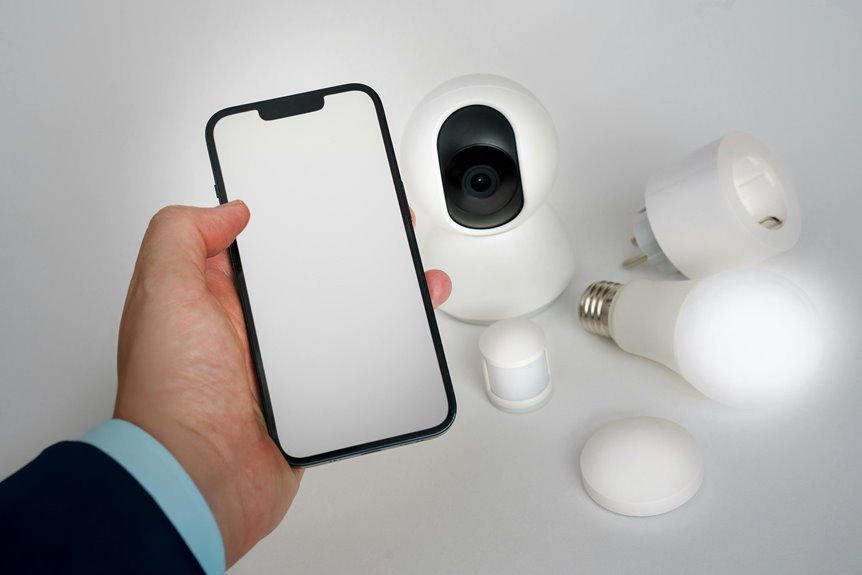

Smart air purifiers use app control and built-in sensors to keep your air cleaner with less effort. You can check air quality, change settings, set schedules, and get filter alerts right from your phone. Sensors track dust, smoke, and gases in real time, then adjust the purifier as the air changes. Here’s a simple look at the app features and sensor tools that make a real difference at home.
What Makes a Smart Air Purifier Smart?
That connection matters because the app interface gives you instant access to fan speed, schedules, and live air quality updates. You can turn it on before you get home, check status while you’re away, and receive alerts as soon as air conditions change.
Built in sensors also help it respond on its own, adjusting performance to match what your space needs. So instead of guessing, you get a purifier that works with you and helps your home feel welcoming every day.
Which Smart Air Purifier Features Matter Most?
While many smart features sound impressive, the ones that matter most are the ones that make clean air easier to manage every single day.
For most homes, that means accurate sensors, useful alerts, and auto mode that responds fast when pollution rises. You want a purifier that works with your routine, not one that adds one more chore.
Just as vital, strong build quality helps you trust it will keep performing, especially in busy family spaces. Good design aesthetics matter too, because you’re more likely to keep a purifier where everyone gathers provided it fits your home.
Also look for clear air quality readings, filter notifications, quiet operation, and energy-smart adjustments. These features help you feel supported, comfortable, and part of a home that cares for everyone’s health every day.
How App Control Makes Air Cleaning Easier
With app control, you can check your purifier from anywhere, change settings in seconds, and come home to cleaner air.
You can also set schedules and smart routines, so the purifier runs whenever you need it most without extra effort.
Best of all, you get real-time air alerts on your phone, which helps you act fast whenever air quality drops or a filter needs attention.
Remote Monitoring Anywhere
How often do you wish your air purifier could take care of itself when you’re not home? With app control, you stay connected to your space no matter where life takes you. You can do quick travel status checks, view air quality readings, and confirm your purifier is running properly. That kind of offsite purifier access helps you feel in sync with your home, even when you’re away.
Just open the app, and you can raise the fan speed, switch the unit on, or check filter alerts in seconds.
Should you’re heading back from work, errands, or a trip, you can refresh your rooms before you walk in. That means your home welcomes you with cleaner air and a sense of comfort, like it’s been waiting for you all day.
Scheduling And Automation
Remote control is helpful when you’re away, and scheduling makes that control work for you even though you forget about it. With app-based timers, you set weekly run schedules that match your family’s rhythm, so clean air feels like part of everyday life, not another task on your list.
That’s where automation feels especially welcoming. You can create bedtime automation routines that switch to night mode as your home settles down. You can schedule stronger cleaning before everyone gets home, then lower fan speed during quiet hours to save energy and reduce noise.
Should your purifier connects with other smart devices, you can build routines that fit right into the way your household already moves. Instead of chasing settings, you create a system that supports you, includes everyone, and keeps your space feeling cared for daily.
Real-Time Air Alerts
That quick feedback makes clean-air care feel simple and shared with your daily routine. Instead of checking the unit yourself, you can trust the app to send filter replacement alerts, track changes, and show whether the purifier is working harder than usual.
Many systems even raise fan speed automatically upon pollution spikes. That means you’re not alone in managing your home’s air. Your purifier becomes part of your support system, helping you protect the people and comfort that matter most.
Which App Features Are Actually Useful?
Why do some air purifier apps feel helpful while others just add noise to your day? The best ones save you time and help your home feel ready as you walk in. Look for useful app shortcuts, clear scheduling, filter alerts, and remote control that works fast. Good app interface design matters too, because you shouldn’t have to hunt through menus just to lower fan speed.
| Feature | Why you care | Best moment |
|---|---|---|
| Scheduling | Fits your routine | Before bed |
| Filter alerts | Keeps performance strong | Busy weeks |
| Remote control | Fresh air before you arrive | Commutes |
| Voice control | Easy hands-free help | Cooking |
As these features work together, you feel supported, not managed. That’s what makes a smart purifier feel like part of your everyday team at home.
How Air Quality Sensors Detect Pollutants
You rely on air quality sensors to spot tiny pollutants through measuring particles like PM1, PM2.5, and PM10 as they pass through the purifier.
Then your purifier interprets that sensor data to judge how clean or dirty your air is and adjust the fan speed in real time.
As you move from app controls to sensor tech, you can see how these readings help your purifier work smarter, quieter, and with less guesswork.
Pollutant Detection Methods
When a smart air purifier checks your air, it relies on tiny built-in sensors to spot particles that are too small for your eyes to see. Inside, a light beam passes through incoming air. When dust, smoke, or pollen drifts past, the particles scatter that light. Then photodetector arrays measure the change, helping your purifier recognize fine particle pollution in the shared spaces you care about.
For gases, the process shifts. With electrochemical sensing, a sensor reacts when certain gases touch its surface. That reaction creates a small electrical signal, which lets your purifier detect pollutants like VOCs or nitrogen dioxide.
Some models also use metal oxide sensors that change resistance as gases rise. Together, these methods help you feel more confident that your home stays cleaner, safer, and welcoming for everyone inside.
Sensor Data Interpretation
Those sensors do more than spot dust or smoke. They help you understand what’s floating in your shared air, so your home feels safer and more welcoming.
Inside the purifier, light-scattering and gas sensors measure tiny particles and fumes, then convert them into readable air quality values.
- Detection: Sensors track PM1, PM2.5, PM10, and gases.
- Interpretation: Software compares readings to clean-air ranges.
- Refinement: sensor calibration accuracy keeps results trustworthy.
- Stability: sensor noise reduction filters out false spikes.
Because of that process, you don’t just see numbers. You see patterns that help you act with confidence.
Whenever cooking smoke rises or outdoor pollution drifts in, your purifier can respond fast, adjust fan speed, and help everyone in your space breathe easier together, day after day.
What PM2.5, VOC, and CO2 Sensors Measure
Why do these sensors matter so much in a smart air purifier? They help you understand what’s floating in your shared air, so your home feels safer and more welcoming. A PM2.5 sensor measures tiny particles from smoke, dust, and cooking that can reach deep into your lungs. VOC sensors detect gases released by paint, cleaners, furniture, and other chemicals. That makes VOC source tracking useful during you’re trying to spot what’s affecting comfort indoors.
CO2 sensors measure carbon dioxide from breathing, which rises while rooms get stuffy or crowded. That’s why CO2 ventilation monitoring matters, especially during you want fresher air for everyone together. Each sensor tells a different part of the story, and together they help you feel more confident about the air your household shares every single day.
How Smart Air Purifier Auto Mode Works
In auto mode, your smart air purifier uses built-in sensors to check the air in real time and respond fast whenever pollution rises. Instead of making you guess the right setting, it changes the fan speed on its own to match what’s actually in your room. That means you get cleaner air, less noise, and better energy use without having to keep adjusting it yourself.
Sensor-Based Speed Changes
When you switch on Auto Mode, the purifier uses its built-in particle sensors to check the air and then changes the fan speed to match what it finds. That gives you an adaptive fan response without constant fiddling, so your space feels cared for, just like the rest of your routine.
- If the air stays clean, it runs gently and quietly.
- If dust or smoke rises, pollution triggered speed shifts kick in fast.
- If particles drop again, the fan slows to save energy and reduce noise.
- If your room changes often, the purifier keeps adjusting for you.
Because of that, you don’t have to guess which speed feels right. The purifier does the work in the background, helping your home stay comfortable, steady, and welcoming for everyone who shares it with you daily.
Real-Time Air Detection
How does your purifier know the air needs help before you do? It watches the room with built-in sensors that track tiny particles like PM2.5 in real time. When cooking smoke, dust, or pet dander causes indoor pollution spikes, auto mode reacts fast. You don’t have to guess or keep checking the app.
Instead, your purifier reads the air, compares changes, and raises or lowers fan speed to match what your home needs. That means you get cleaner air without extra noise when the room is already fresh. Over time, you can also spot air quality trends in the app and feel more in control of your shared space.
It’s like having a quiet teammate that notices the stuff your lungs wish everyone else would notice, too, every single day.
Why Real-Time Air Reports Help
Why do real-time air reports matter so much? They help you feel in control and connected to a healthier home. Instead of guessing, you see what your purifier sees, right as the air changes. That makes daily choices easier and more confident.
- You spot spikes from cooking, pets, or dust right away.
- You compare indoor readings with outdoor air snapshots before opening windows.
- You follow pollution trend summaries to learn what affects your space most.
- You build routines that fit your family, so everyone breathes easier.
As a result, your purifier feels less like a gadget and more like part of your home team. You know whenever air improves, whenever it dips, and whenever your room needs extra help.
That shared awareness brings peace, comfort, and trust every day.
What Smart Air Purifier Alerts Tell You
Because your air can change fast, smart purifier alerts give you clear updates the moment your home needs attention. You don’t have to guess what’s happening or feel left out of the loop. Instead, you stay connected to your space and everyone in it.
These alerts tell you whenever pollution rises, whenever the purifier changes fan speed, and whenever filter alerts mean it’s time for a replacement. That matters because a clogged filter can’t protect your shared air as well.
You can also get location notifications, so your phone can remind you about air quality or maintenance even if you’re away. In the same app, you can spot patterns, respond quickly, and feel more confident that your home stays welcoming, healthy, and ready for the people who matter most every day.
How Scheduling Saves Energy and Filter Life
Often, a smart schedule saves energy and stretches filter life without asking you to consider it all day. Whenever your purifier runs only whenever your home needs it, you avoid wasting power and overworking the filter. That means cleaner air for your group and less stress on your budget too.
- You match run times to busy hours, sleep, and empty rooms.
- You cut needless high-speed use, which supports energy saving schedules.
- You reduce dust buildup from constant operation, helping filter lifespan optimization.
- You create a routine that feels easy, shared, and dependable.
Because scheduling follows your real life, your purifier works smarter, not harder. You get fresh air whenever it matters most, and your filter doesn’t burn out prematurely.
That’s one small upgrade your whole home can feel daily.
How Voice Control Fits Your Smart Home
As your home gets smarter, voice control makes your air purifier feel like part of the family instead of just another appliance. With simple voice assistant pairing, you connect it to the devices you already trust, so clean air becomes one more shared comfort in your daily rhythm.
Instead of stopping what you’re doing, you can say a quick command and keep moving. That ease matters as your hands are full, you’re settling in for the night, or everyone is gathering in one room.
Voice control also blends naturally with hands free routines, letting your purifier join bedtime scenes, morning wakeups, or coming-home moments. Should you already use Alexa or Google Home, your purifier won’t feel separate. It fits in, responds fast, and helps your space feel calmer, more welcoming, and truly yours every day.
How Safe Smart Air Purifier Apps Are
- Review app security permissions before you tap allow.
- Look for privacy policy transparency in plain language.
- Use strong passwords and turn on two-factor login if offered.
- Update the app often, because fixes close security gaps.
That matters because these apps might see device status, schedules, and air quality history.
Good companies limit collection, encrypt data, and explain sharing clearly.
Whenever an app feels vague or asks for too much access, trust your gut.
A secure app helps you feel confident, connected, and fully at home with your tech every day.
When Smart Sensors Are Worth It
While app safety helps you feel secure about control, smart sensors are what make that control truly useful day to day. They matter most when you want your purifier to work with you, not make you guess. If your home faces smoke, pets, dust, pollen, or busy family traffic, sensors can track changes and raise fan speed right when needed.
That creates a calmer routine. You get cleaner air without constant checking, and everyone at home benefits together. Good sensor calibration also helps readings stay accurate, so auto mode feels trustworthy instead of random.
Some models even support predictive maintenance by spotting filter strain in advance and sending alerts before performance drops. In that way, sensors don’t just add tech. They help your space feel cared for, comfortable, and ready for the people you love most.
Frequently Asked Questions
Can Smart Air Purifiers Work During Internet or Wi-Fi Outages?
Yes, most smart air purifiers continue working during internet or Wi Fi outages by using onboard controls and offline operation. App based features may stop temporarily, but the purifier can still keep air moving and filtering as part of your household’s clean air routine.
Do Smart Air Purifiers Collect or Share Personal Data?
Some smart air purifiers collect personal data and may share it with third parties. Check the privacy policy, app permissions, and analytics settings to understand exactly what information the device gathers and who can access it.
How Often Do Smart Purifier Sensors Need Calibration?
Smart purifier sensors rarely need calibration. Check the manufacturer’s schedule, which is often once a year or only when readings start to drift. Regular sensor cleaning helps keep measurements aligned with your home’s air quality.
Can One App Control Multiple Air Purifiers in Different Rooms?
Yes, one app can control multiple air purifiers in different rooms if the brand offers multi room control and app grouping. You can adjust settings for each room, set shared schedules, and monitor air quality across your home from one place.
Are Smart Air Purifiers Difficult to Set up for Beginners?
No, smart air purifiers are usually easy to set up. Most models use step by step app instructions and clear on screen prompts, so beginners can get started quickly and with confidence.
